> For the complete documentation index, see [llms.txt](https://luw-ai.gitbook.io/luw.ai-app-docs/llms.txt). Markdown versions of documentation pages are available by appending `.md` to page URLs; this page is available as [Markdown](https://luw-ai.gitbook.io/luw.ai-app-docs/results/result-viewer.md).
# The result viewer
The window that opens when you click a result, with the before/after slider, zoom, the 3D viewer and video player, tags, rating and actions.
Click any finished result to open it in the result viewer. This page goes round the viewer: the picture on the left, the information panel on the right, and the actions under it.
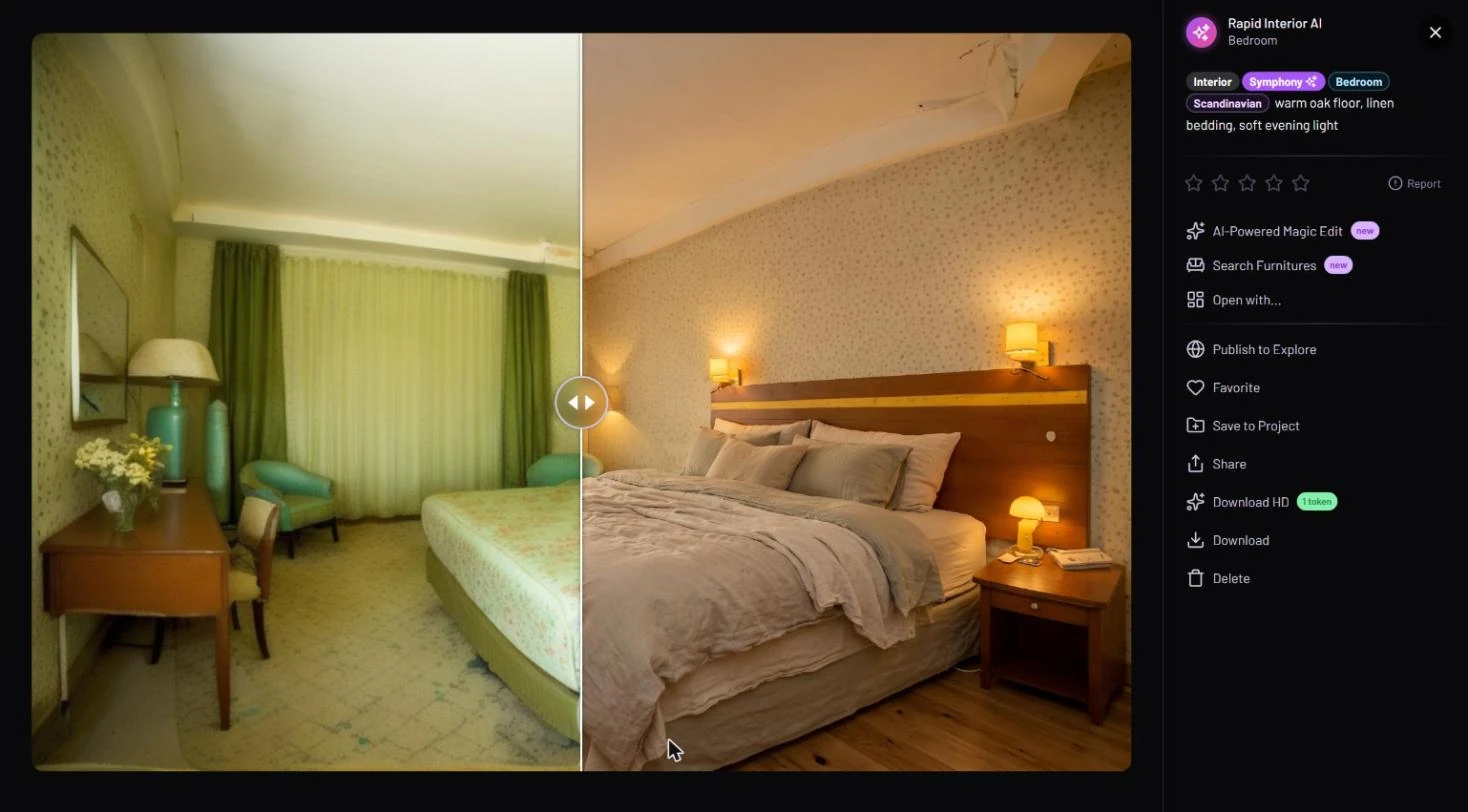
Before/after on the left; tags, rating and actions on the right
## Open a result
* In **Latest Designs**, click a result card or its zoom button. See [Latest Designs](/luw.ai-app-docs/results/latest-designs.md).
* In **Favorites** or **Explore**, click a design. In Explore the viewer has no **Delete** or **Publish to Explore**, because the design isn't yours. See [Favorites](/luw.ai-app-docs/organize-your-work/favorites.md) and [Explore](/luw.ai-app-docs/organize-your-work/explore.md).
Close the viewer with the **×** at the top right.
## Compare before and after
If the result was made from a photo, the viewer shows a before/after slider: your photo on one side, the result on the other. Drag the handle, or just move the pointer over the picture, to compare.
## Zoom in
Click the picture to see it full screen. On a desktop, zoom buttons go from 1× to 3×; drag the picture to move around while zoomed.
## 3D models and videos
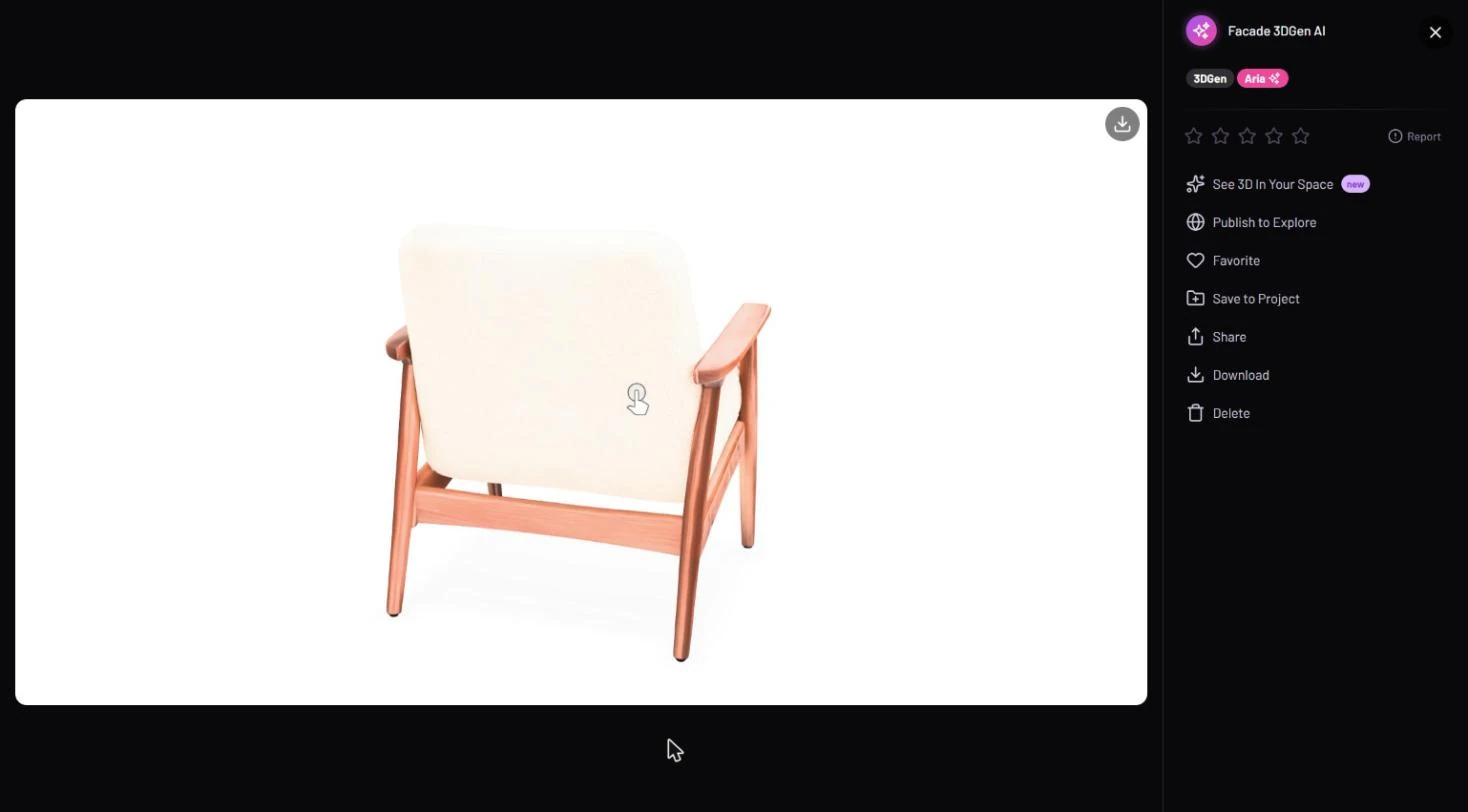
* **3D models** (from 3DGen AI) open in a 3D viewer instead of a picture. The model turns slowly on its own, and you can drag it to look from any side. A download icon in the corner saves the model file.
* **Videos** (from Video AI) open in a video player.
A 3D model in the viewer, with its own set of actions
## Reopen a result by link
While a result is open, the address bar gets `?id=…` added. You can bookmark that address to reopen the result later. The browser's Back button closes the viewer.
## Read the information panel
The top of the right panel shows the persona name (and the room type, when there is one), followed by tags and the prompt.
| Tag | What it tells you |
| ------------------------ | ------------------------------------------------------------------------------------------------- |
| Tool | Which tool made the result, for example Interior. |
| Model | **Symphony**, **Aria** or **Nano Banana**. A sparkle next to it means **Prompt Enhancer** was on. |
| Styles and type | The styles and the room or exterior type you chose. |
| Precise / Creative | Shown when **Visual Strength** was set to Precise or Creative. |
| Fill Empty Room | The room was furnished with Fill Empty Room. |
| Fluw Image / Fluw Vector | The kind of picture Fluw made. |
## Rate or report a result
Click a star from 1 to 5 to rate the result. If you give 2 stars or fewer, you're asked for a reason, which helps Luw\.ai improve.
**Report** is for content that's inappropriate. It asks you to confirm, then asks what the problem is, and sends your report.
## Actions
Under the rating is the list of actions. Which ones you see depends on whether the result is an image, a 3D model or a video:
* Editing and reuse — **AI-Powered Magic Edit**, **Search Furnitures**, **Open with…**, **Continue from Last Frame** and **See 3D In Your Space**. See [Edit and reuse a result](/luw.ai-app-docs/results/edit-and-reuse.md).
* Keeping and sharing — **Publish to Explore**, **Favorite**, **Save to Project**, **Share**, **Download HD**, **Download** and **Delete**. See [Save, share and download](/luw.ai-app-docs/results/save-share-download.md), which also has a table of the actions for each kind of result.
{% hint style="info" %}
If a Magic Edit or an HD upscale is still running, closing the viewer asks you to confirm, because the credits for it would be lost.
{% endhint %}
## Related
* [Latest Designs](/luw.ai-app-docs/results/latest-designs.md)
* [Edit and reuse a result](/luw.ai-app-docs/results/edit-and-reuse.md)
* [Save, share and download](/luw.ai-app-docs/results/save-share-download.md)