> For the complete documentation index, see [llms.txt](https://luw-ai.gitbook.io/luw.ai-app-docs/llms.txt). Markdown versions of documentation pages are available by appending `.md` to page URLs; this page is available as [Markdown](https://luw-ai.gitbook.io/luw.ai-app-docs/organize-your-work/explore.md).
# Explore
Browse the community gallery of designs made with Luw\.ai, open any of them for a closer look, and publish your own.
This page covers Explore, the community gallery of designs that Luw\.ai users have published.
Explore is a good place for ideas: you can see what other people make with each tool, read the prompts they used, and jump into a tool to try something similar.
## Open Explore
Click **Explore** in the left sidebar. You can also use the **Explore** tab at the top of the Dashboard, or the menu in the top bar on a phone.
## What's on the page
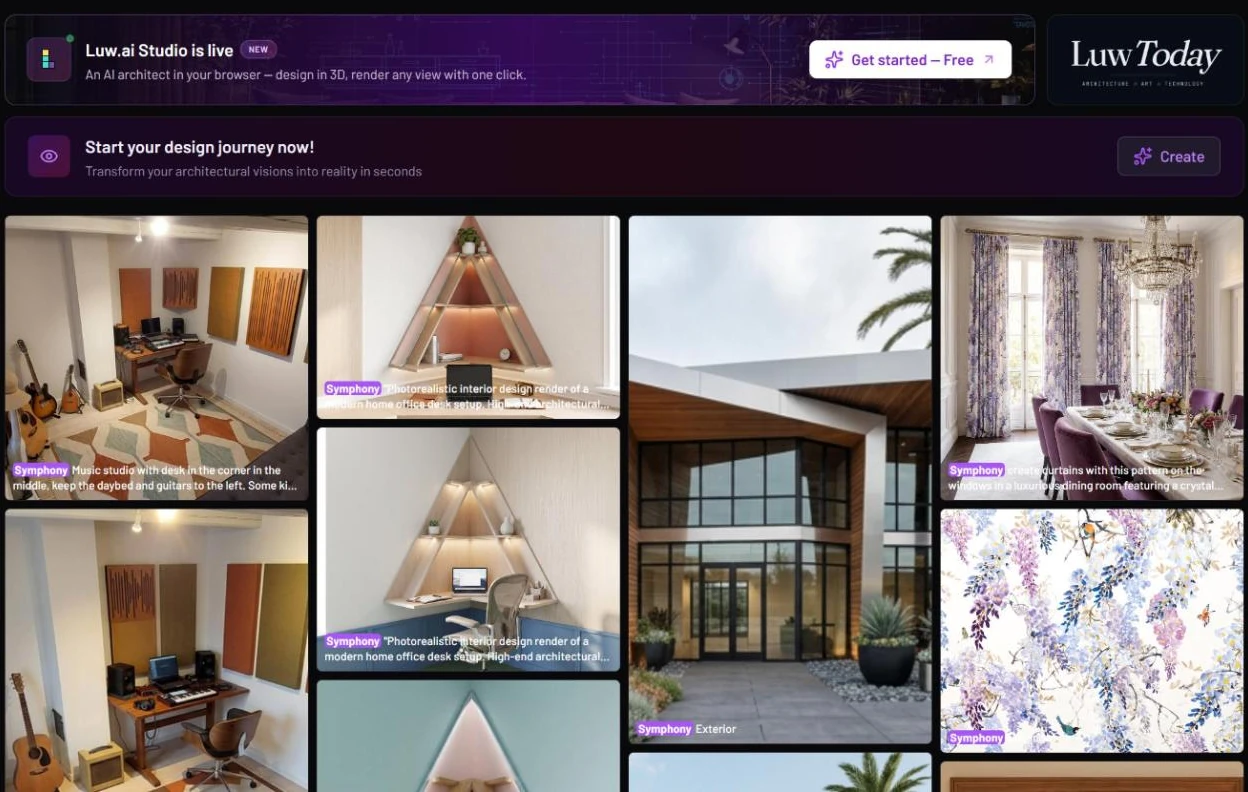
Three banners sit above the gallery:
* **Luw\.ai Studio is live**: **Get started — Free** opens [Luw.ai Studio](/luw.ai-app-docs/connect/luw-ai-studio.md), the browser-based 3D building editor.
* **Luw Today**: opens Luw Today, Luw\.ai's news site, in a new tab.
* **Start your design journey now!** ("Transform your architectural visions into reality in seconds"): **Create** opens [Interior AI](/luw.ai-app-docs/redesign-spaces/interior-ai.md) so you can start a design of your own.
The banners at the top, and the community gallery underneath
## Browse and open designs
The gallery is a grid of published designs: rooms, buildings, patterns, videos, 3D models and more. Each tile shows a tag for the engine that made it (**Symphony** or **Aria**) and the start of its prompt. Some tiles carry an extra tag such as **Fill Empty Room**, **Fluw Image** or **Fluw Vector**.
Click a tile to open it in the result viewer. You see the design at full size, its tags and its full prompt, and you can use actions such as **Open with…**, **Favorite**, **Save to Project**, **Share** and **Download**. Designs on Explore belong to their authors, so the viewer here has no **Delete** or **Publish to Explore**.
{% hint style="info" %}
To build on a design you like, open it and use **Open with…** to send it to a tool. It opens there as a new persona, ready for your own changes. See [Edit and reuse a result](/luw.ai-app-docs/results/edit-and-reuse.md).
{% endhint %}
## Publish your own design
Designs reach Explore when their makers publish them from the result viewer.
1. Open one of your results.
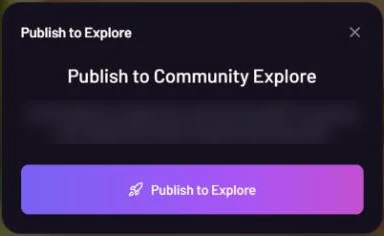
2. Click **Publish to Explore**. The **Publish to Community Explore** window opens.
3. Click the **Publish to Explore** button in the window.
Publishing sends your design to ArchiGPT for a quick review first
The button changes to "ArchiGPT Analyzing..." while ArchiGPT reviews the design. If ArchiGPT approves it, the design is published to Explore. If not, the button tells you it wasn't accepted, and the design stays private in your account.
You can publish images, videos and 3D models this way.
## Related
* [The result viewer](/luw.ai-app-docs/results/result-viewer.md)
* [Edit and reuse a result](/luw.ai-app-docs/results/edit-and-reuse.md)
* [Favorites](/luw.ai-app-docs/organize-your-work/favorites.md)
* [Explore Workflows](/luw.ai-app-docs/workflows/workflows.md#explore-workflows)